List
A "list" is a form that organizes and summarizes detail lines, subtotal lines, and totals in a list format across multiple pages. Unlike a cut sheet, which is a fixed form, a list is a variable form whose format changes depending on data, such as subtotals and totals being output at undefined positions, and data being sorted. One example is a form such as a sales summary table by product. You can also create a list with multiple detail tables attached, such as an invoice to be sent to a customer with which you have a large volume of transactions.
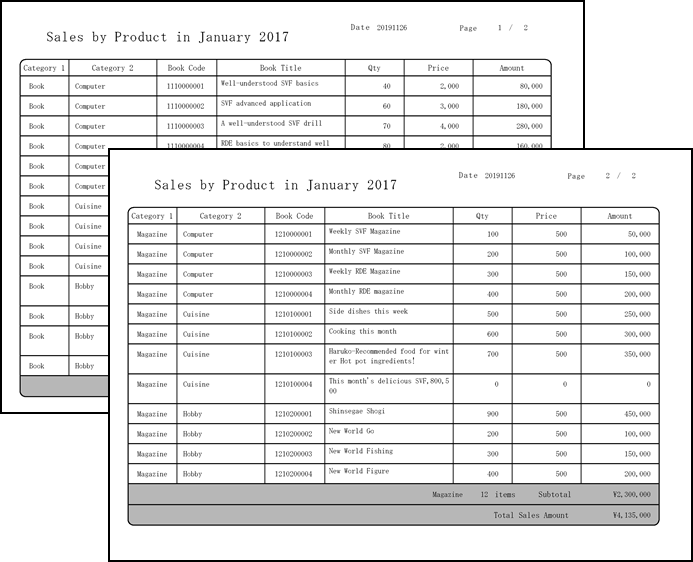
To create a list with Form Designer, use "subforms" and "records" where data of variable type is output. Using subforms and records allows you to do things like insert rows according to data and change the printing position when printing a form. In addition, you can format a table by making the following settings.
Sort the product names displayed in the detail line
When the value output to the detail line changes, insert a page break or insert a header line or subtotal line
When the same product name or customer name continues on the detail lines, delete duplicate data and ruled lines to display them clearly (group suppress).