Add a new tenant
You can add a Staging environment and a Sandbox environment. For SVF Cloud for Salesforce, a Staging environment can connect to Salesforce Full Sandbox, and a Sandbox environment can connect to Salesforce Sandbox and Developer Edition.
You can also copy the data of other tenants after adding the tenant. The copied data includes:
SVF buttons (including Virtual Relation)
Form layouts
Image files
Procedure
The number of tenants that can be used has the following upper limit.
Staging environment
1
Sandbox environment
3 (If you have contracted additional sandboxes, this does not apply)
Reference
You can check the usage status of tenants in  Environment Settings - Tenant - Tenant Management.
System administrator privileges are required to add a tenant.
Log in to SVF Cloud Manager on the production environment.
Click
Environment Settings - Tenant.Depending on the type of tenant you are adding, click the Create Staging button or Create Staging button. For Sandbox environments, a tenant is added with the ID whose number is the lowest among unused tenant IDs.
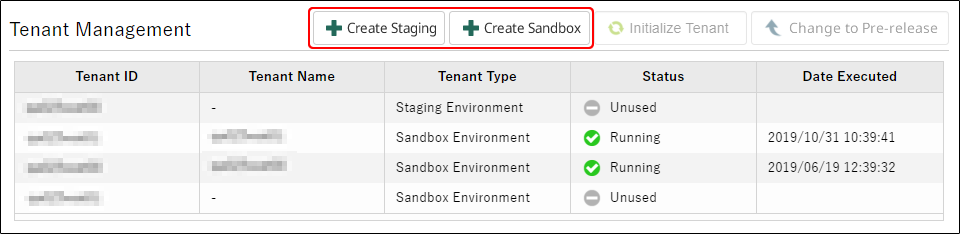
To copy the data of another tenant, select Copy data from another tenant after creating and select the tenant to copy from.
Click the OK button.
The processing runs in the background. Therefore, even if you move to another screen or close the web browser, the processing continues.
When there is any progress in the processing, a notification appears in the upper right corner of the screen, and you can also check it on the Information screen - the Background Processing tab. For details, see "Check the status of the background processing".
Reference
Only the user who executed the processing can see the progress of the processing.
When Status shows "Running" or when the completion notice appears, the addition of the tenant is complete.
The added tenants are configured as follows.
User information
Only the information of the user who instructed to add a tenant is automatically registered.
Settings other than the above
The settings of the production environment are inherited.