Reset window layout of Form Designer
The layout of the Form Designer window can be restored to the state just after installation by selecting Reset layout from the menu displayed by right-clicking on the toolbar area.
However, Reset layout resets the layout settings of the toolbar as well as the windows. You cannot only reset one or the other. In addition, window layout information is retained for each operation mode of Form Designer (On/off Enable graphic mode). Reset layout only applies to the mode that is currently selected.
Procedure
Select Reset layout from the menu displayed by right-clicking on the toolbar area.
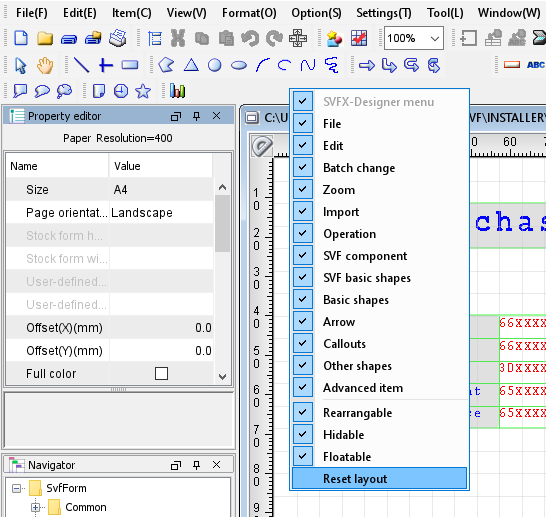
Operation result
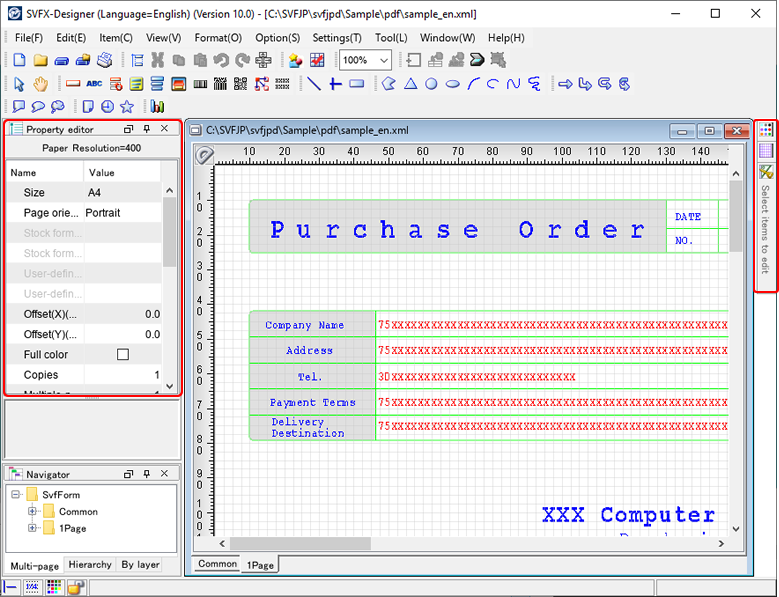
When the window layout is reset to the initial state, the following is displayed.
Figure 1. Initial window state - Docked state (left) and tab state (right)