6-6 Print-control-conditions
This section describes how to set the print-control-condition and its format.
What is print-control-condition?
The print-control-condition is a feature to hide all record items along with items positioned in the record items according to specified conditions.
Reference
The "Hide" option runs at different timings for attribute-formulas and print-control-conditions.
Attribute-formula: After record expansion
Print-control-condition: Before record expansion
To set the print-control-condition
Select a record item, and click the  button in the Print-control-condition column of the Properties Editor.
The Print-control-condition setting dialog appears.
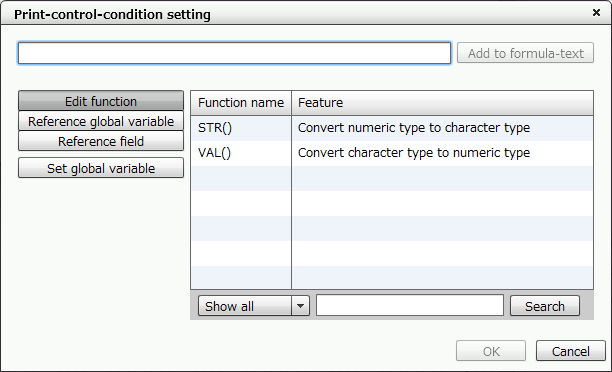
"Print-control-condition setting" dialog
Format that you can specify in print-control-condition
You can set the print-control-condition in the same format as in the attribute-formula, but you cannot specify attribute functions.
In addition, in contrast to the attribute-formula, you must enter a condition that returns a true/false value because the result of the formula must return a true/false value.
Standard format
Example 1 | Field1="" |
|---|---|
Meaning 1 | If the value in Field1 (text field) is a null string, the record meets the print-control-condition and will not be output. |
Example 2 | Field1<0 |
|---|---|
Description 2 | If the value in Field1 (numeric field) is negative, the record meets the print-control-condition and will not be output. |
Format using the edit function
Example 3 | VAL(Field1)%2=0 |
|---|---|
Description 3 | If the value in Field1 (text field) is converted to a numeric value using the VAL function and the remainder after dividing the value by 2 equals 0, the record meets the print-control-condition and will not be output. |
Example 4 | STR(Field1)="10" |
|---|---|
Description 4 | If the value in Field1 (numeric field) is converted to a character value using the STR function and the converted value matches with the string "10", the record meets the print-control-condition and will not be output. |
Restriction
You cannot use the attribute functions.
You cannot use the statistical functions.
You cannot use the system variables.
In calculation formulas, you cannot refer to fields that use statistical functions.
Caution
Even if a record is hidden due to print-control-conditions, items in the record will be included in the calculation of the statistical function.